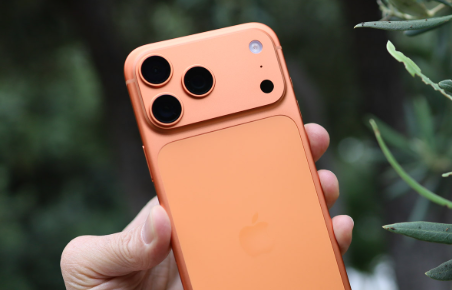

For once, the internet isn't screaming about an iOS update making an old iPhone worse. Instead, iOS 27 is getting surprisingly positive feedback from users who say their phones feel faster, smoother, and less prone to overheating — including older models such as the iPhone 11 Pro, iPhone 12 mini, and iPhone 13 mini.
That doesn't mean every iPhone suddenly became faster overnight. But after the rough reputation surrounding iOS 26, the difference people are reporting with iOS 27 is hard to ignore.
- The Diagnostic: Multiple Reddit users report smoother navigation, improved app responsiveness, better RAM management, and fewer performance complaints on iOS 27.
- The Markup Trap: Don't mistake a flood of positive posts for a universal performance guarantee; individual iPhone models, battery health, and post-update indexing can change the experience.
- The 5-Minute Fix: If you're already on iOS 26, update normally, then give the phone time to finish background indexing before judging battery life or performance.
iOS 27 Feels Different — And That's the Weird Part
Software updates usually create the same predictable cycle.
Apple releases a new iOS version. Some people love it. Others report battery drain, overheating, lag, broken apps, or some tiny interface change that suddenly ruins their morning.
iOS 27 appears to be producing a different kind of conversation.
One Reddit post described the update as a "slam dunk," with the author reporting smooth performance on both an iPhone 17 Pro Max and an iPhone 13 mini.
Other users chimed in with similar experiences.
Owners of older hardware reported that app switching felt faster, typing became more responsive, and general navigation was smoother. One iPhone 13 mini owner with battery health in the mid-70% range said the phone felt dramatically faster after moving to iOS 27.
That's the interesting part.
These aren't people comparing two brand-new iPhones. Some are using hardware that has already been through several major iOS generations.
The iPhone 13 Mini Test Is More Interesting Than the iPhone 17
A new iPhone feeling fast isn't exactly shocking.
The more revealing reports are coming from older devices.
One iPhone 13 mini owner said apps that had become painfully slow under previous software versions were noticeably more responsive after installing iOS 27.
The user specifically mentioned Apple Podcasts, Notes, Lightroom, and Merlin.
The Notes example is particularly telling.
The owner reportedly had more than 18,000 notes, including very long entries, and said the app had become extremely sluggish after previous updates. Searching inside notes and selecting text could take several seconds.
After installing iOS 27, the same user reported that Notes was working much more smoothly.
Again, that's one person's experience — not a controlled laboratory benchmark.
But when multiple owners of different iPhone generations describe similar improvements, it becomes a legitimate reason to pay attention.
iOS 27 vs. iOS 26: What Users Are Actually Reporting
The Reddit discussion isn't a scientific performance test, but it provides an interesting snapshot of how owners perceive the update.
| Experience | iOS 26 Reports | iOS 27 Reports |
|---|---|---|
| General UI responsiveness | Some users reported lag and stuttering | Multiple users describe smoother navigation |
| Older iPhones | Complaints about sluggishness were common | Users report noticeable improvements |
| Battery behavior | Battery drain was a recurring complaint | Some users report better battery life |
| Heat | Some owners reported overheating | Some users report cooler operation |
| Keyboard | Frequently criticized | Mixed feedback; some report fewer typing errors |
| Liquid Glass | Interface changes received criticism | Users generally describe the tweaks as cleaner |
| Post-update experience | Indexing sometimes caused severe temporary slowdowns | Users still report indexing effects, but performance improves afterward |
The important word here is mixed.
Not everyone loves the keyboard. Not everyone sees better battery life. Not everyone is reporting a perfect update.
That's actually a good sign when evaluating online feedback.
If every comment sounded identical, I'd be suspicious too.
The Liquid Glass Problem Apple Needed to Clean Up
One of the biggest complaints surrounding Apple's recent interface direction wasn't necessarily the idea itself.
It was how the interface felt in everyday use.
Some users in the discussion say the Liquid Glass changes in iOS 27 make the interface clearer and less annoying.
Small changes reportedly affect things such as Apple Pay confirmation screens, AirPods settings, Control Center timers, and other pieces of the interface.
These aren't features that look impressive on a spec sheet.
They're the kind of changes you notice after using your phone for 200 tiny interactions.
And that's exactly where software updates live or die.
If a button is easier to understand, you don't celebrate it.
You just stop getting annoyed.
The Keyboard Is Still a Messy Debate
Here's where the iOS 27 hype hits a wall.
Some users say the keyboard is significantly better, particularly when it comes to typing mistakes.
Others say they can barely notice a difference.
And some are actively unhappy with the autocomplete behavior.
That's important because the keyboard is one of the most frequently used parts of an iPhone. A tiny improvement can feel huge to one person and completely irrelevant to another.
So don't install iOS 27 expecting a miracle keyboard.
Your mileage may vary.
The One Thing You Shouldn't Do After Updating
Don't judge iOS 27 immediately after installation.
Several users in the discussion mentioned indexing — the background process that can temporarily make an iPhone feel slower and consume more battery after an update.
That's why the first few hours aren't necessarily representative of normal performance.

Your phone may be busy reorganizing and processing data in the background.
Give it some time.
Then judge the update.
This is particularly important if your first reaction is:
"My battery is terrible after iOS 27."
Wait before deciding the update ruined your battery life.
Three Things iPhone Owners Should Know Before Updating
Don't use Reddit as a benchmark. Reddit is useful for spotting patterns, but individual reports aren't controlled tests. Battery health, storage, apps, device age, and usage habits can produce very different results.
Older hardware doesn't automatically mean bad performance. Several users report that iOS 27 feels surprisingly good on older iPhones. That doesn't guarantee the same result for every model, but it challenges the assumption that every major iOS update makes aging hardware unusable.
Don't panic during the first few hours. Post-update indexing can temporarily affect responsiveness and battery consumption. Let the phone settle before making a final judgment.
The most interesting thing about iOS 27 isn't one flashy feature.
It's the possibility that Apple finally delivered something smartphone owners rarely get from a major software update: an update that makes some existing phones feel better instead of simply giving them more stuff to do.
Still, the Reddit reports are only early user experiences, and the keyboard, battery life, and individual app performance clearly aren't universal.
Did iOS 27 make your iPhone feel faster — or are you seeing the same old update problems? Tell us what happened to your iPhone in the comments below!
🛡️ DAYLL Editorial Transparency
This post was researched and synthesized by the Dayll consumer editorial team. We test, verify, and cross-reference public policies and insider tips to bring you actionable advice without sponsor influence.